When building cloud data pipelines with Azure Data Factory (ADF), you’re often presented with two paths: use the tried-and-true Copy Activity, or lean into the newer, powerful Mapping Data flows. Both are native ADF features and technically serve the same purpose—moving and transforming data—but the similarities end there.
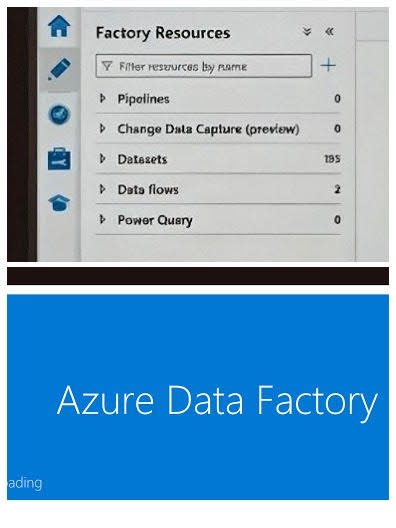
In our case, we started with Data flows because of their convenience. CDC (Change Data Capture) was built-in. Integration with Dataverse was straightforward. Transformation logic was clear and visual. It seemed like the obvious choice.
But the costs added up—fast.
And when we needed to work directly with on-premises data, Data flows didn’t support our use case at all. That led us to pivot midstream, rebuilding our solution using Copy Activity, Stored Procedures, and intermediate Parquet files to mimic the behavior we lost.
Here’s what we learned, and what you should know when deciding between these two core ADF features.
Copy Activity: Reliable, Fast, and Inexpensive
Copy Activity is ADF’s backbone. It moves data from point A to point B efficiently, and supports a surprising amount of flexibility when used in combination with parameters and integration runtimes.
✅ Benefits
- Works with on-prem data using a Self-Hosted Integration Runtime (SHIR)
- Fast startup time, with minimal overhead
- Low cost, billed based on data moved and DIU usage
- Lightweight transformations like column mapping, type casting, flattening
🚫 Limitations
- Doesn’t support joins, aggregations, or derived columns
- No support for schema drift or dynamic logic without external orchestration
- Limited transformation capabilities unless paired with SQL procedures or custom code
Data flows: Powerful and Expensive
Mapping Data flows bring Spark-like transformation capabilities into a no-code, visual interface. You can build row-level logic, join datasets, pivot tables, and even manage schema drift—all without writing code.
✅ Benefits
- Built-in support for complex transformations
- Native connectivity to cloud services like Dataverse and ADLS
- Handles schema drift and CDC out of the box
- Debugging and data preview capabilities
🚫 Limitations
- No direct access to on-prem data—you must stage it in the cloud first
- High cost, due to Spark cluster spin-up and per-job billing
- Latency during execution startup (~30–60 seconds)
- Debug mode, while helpful, incurs its own charges
We felt this pain firsthand. While Data flows allowed us to connect natively to Dataverse, the cost profile forced us to find an alternative. Our workaround involved staging data as Parquet files, running stored procedures, and orchestrating these pieces with pipelines. It worked—but it took effort, and it wasn’t as maintainable or clean.
A Head-to-Head Comparison
| Feature | Copy Activity | Mapping Data flows |
|---|---|---|
| Complex transformations | ❌ No | ✅ Yes |
| On-prem data access (SHIR) | ✅ Yes | ❌ No |
| Cost efficiency | ✅ High | ❌ Low |
| Latency | ⚡ Low | 🕓 High (cluster warm-up) |
| Schema drift handling | ⚠️ Manual | ✅ Built-in |
| Dataverse integration | ⚠️ Workaround | ✅ Native |
| CDC support | ⚠️ External scripting | ✅ Built-in |
| Debugging / Preview | ❌ No | ✅ Yes |
What We Ended Up Doing
Ultimately, our architecture became a hybrid. We used Copy Activities for their efficiency and ability to access our on-premises systems. When we needed transformations, we pushed logic into SQL stored procedures. And for systems like Dataverse where direct access without Data flows was painful, we staged and transformed data manually with Parquet files.
Would we go back to Data flows in the future? Maybe—for small workloads or where real-time preview and built-in CDC outweigh the cost. But for now, cost and control matter more.
Alternatives to Consider
If neither Copy Activity nor Data flows fits perfectly, ADF still offers alternatives:
- Stored Procedure Activity – Run logic inside your SQL engine.
- Azure Functions – Execute custom code during a pipeline.
- Databricks Notebook Activity – For heavy Spark-based transformation with more flexibility.
- Web Activity – Call external APIs or microservices.
- Synapse Notebooks or Pipelines – Native MPP compute for SQL-centric data processing.
Choosing between Copy Activity and Data flows isn’t just about features—it’s about architecture, cost, maintainability, and the skillsets on your team. We learned the hard way that a powerful tool isn’t always the right one. Sometimes, going with what’s simple, cheap, and robust wins in the long run.